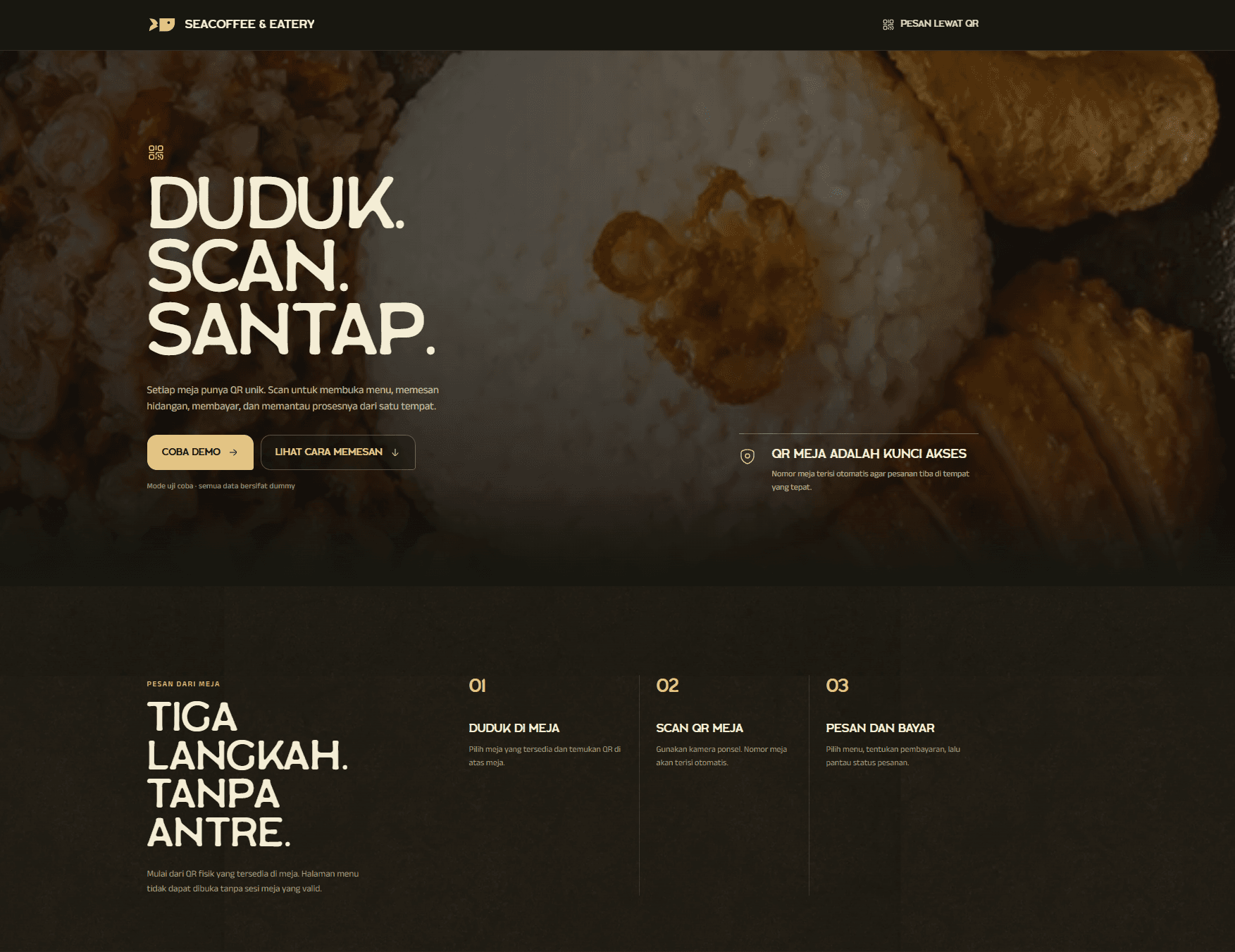
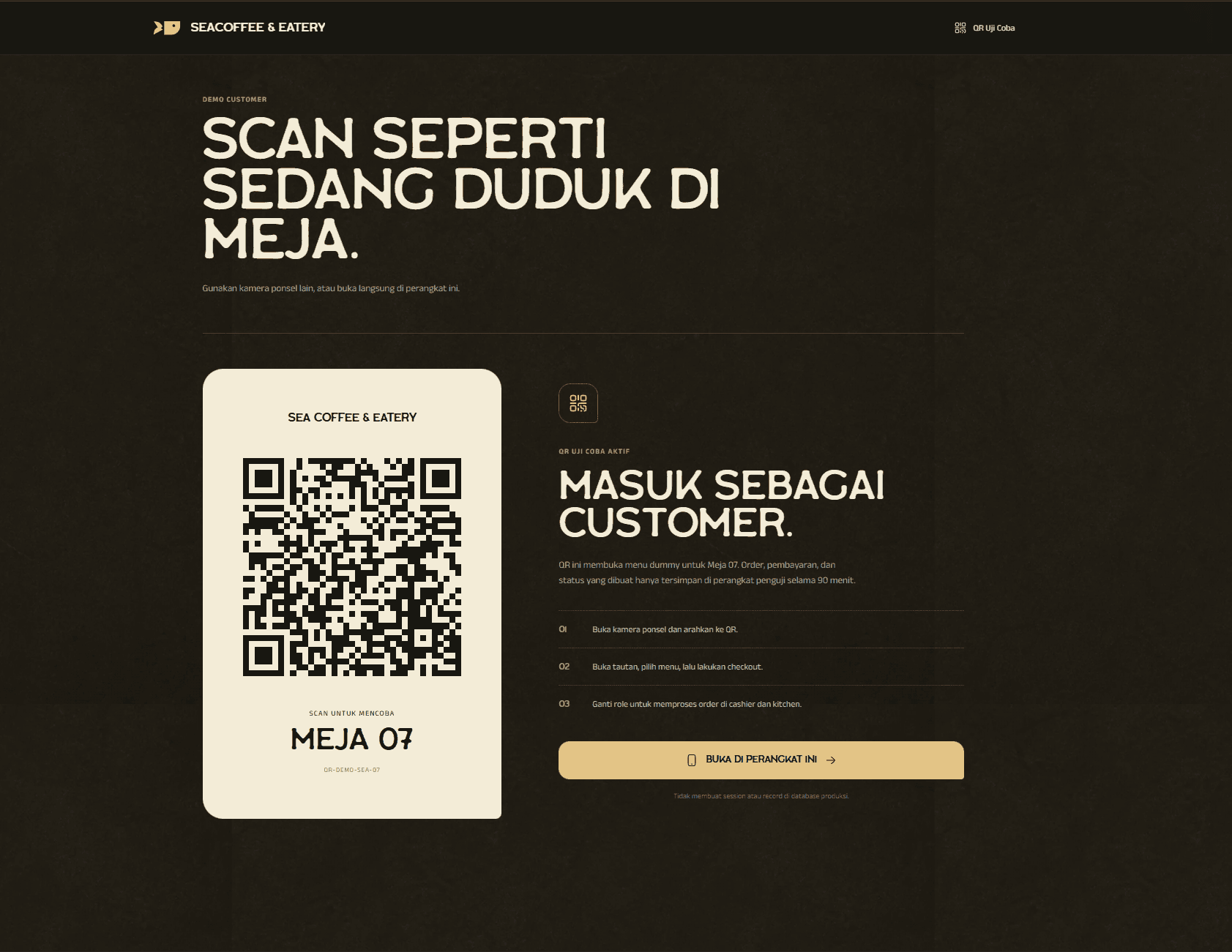
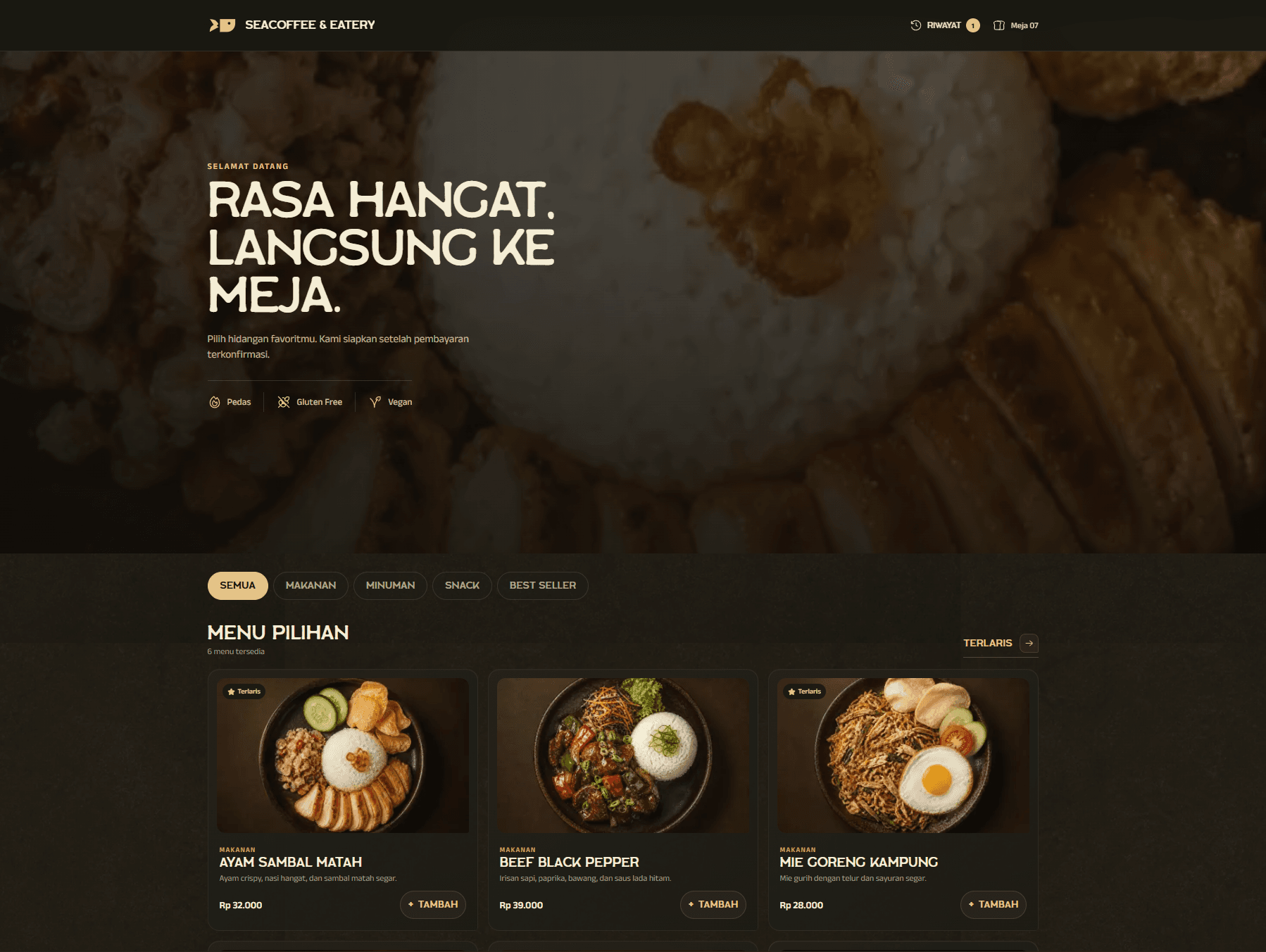
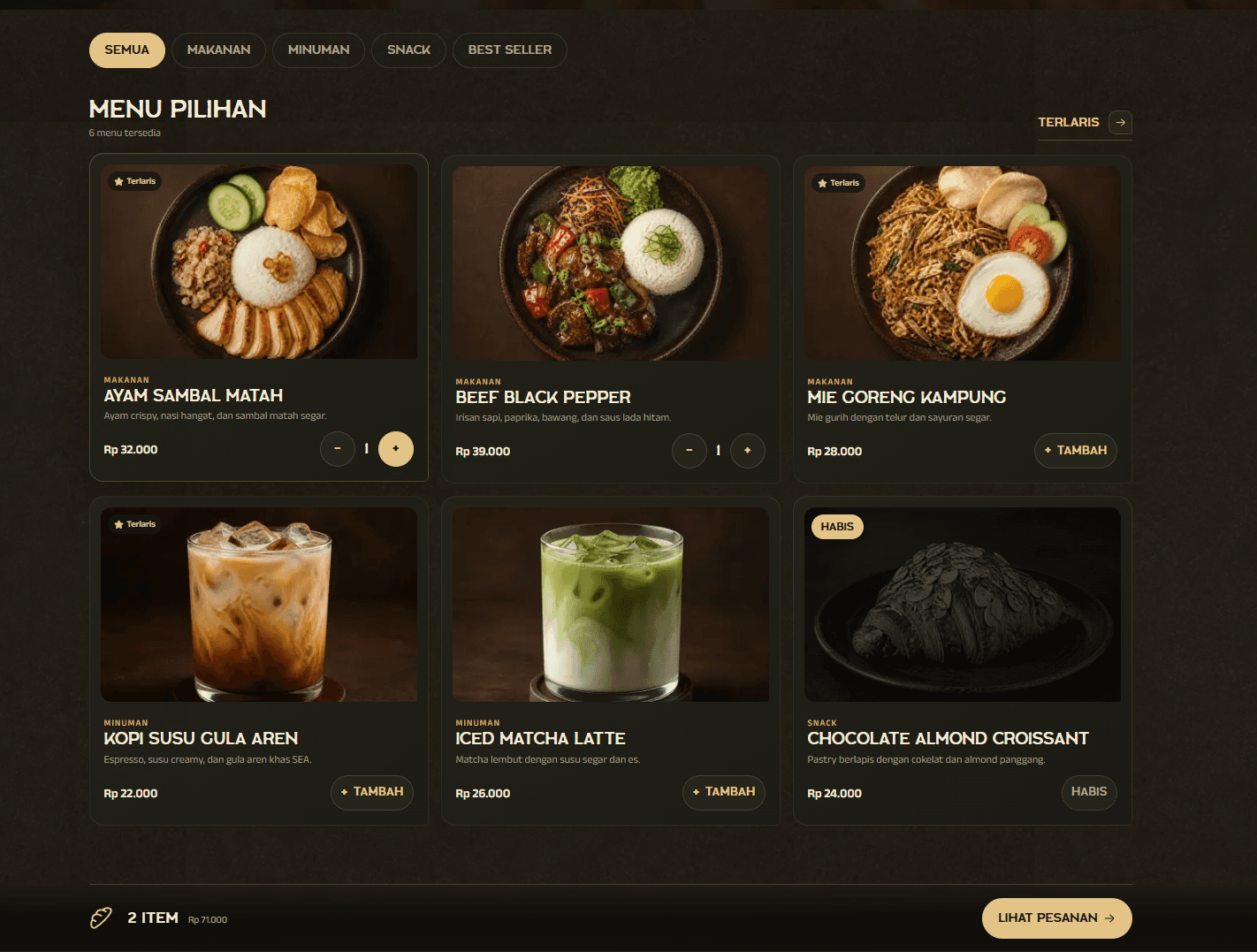
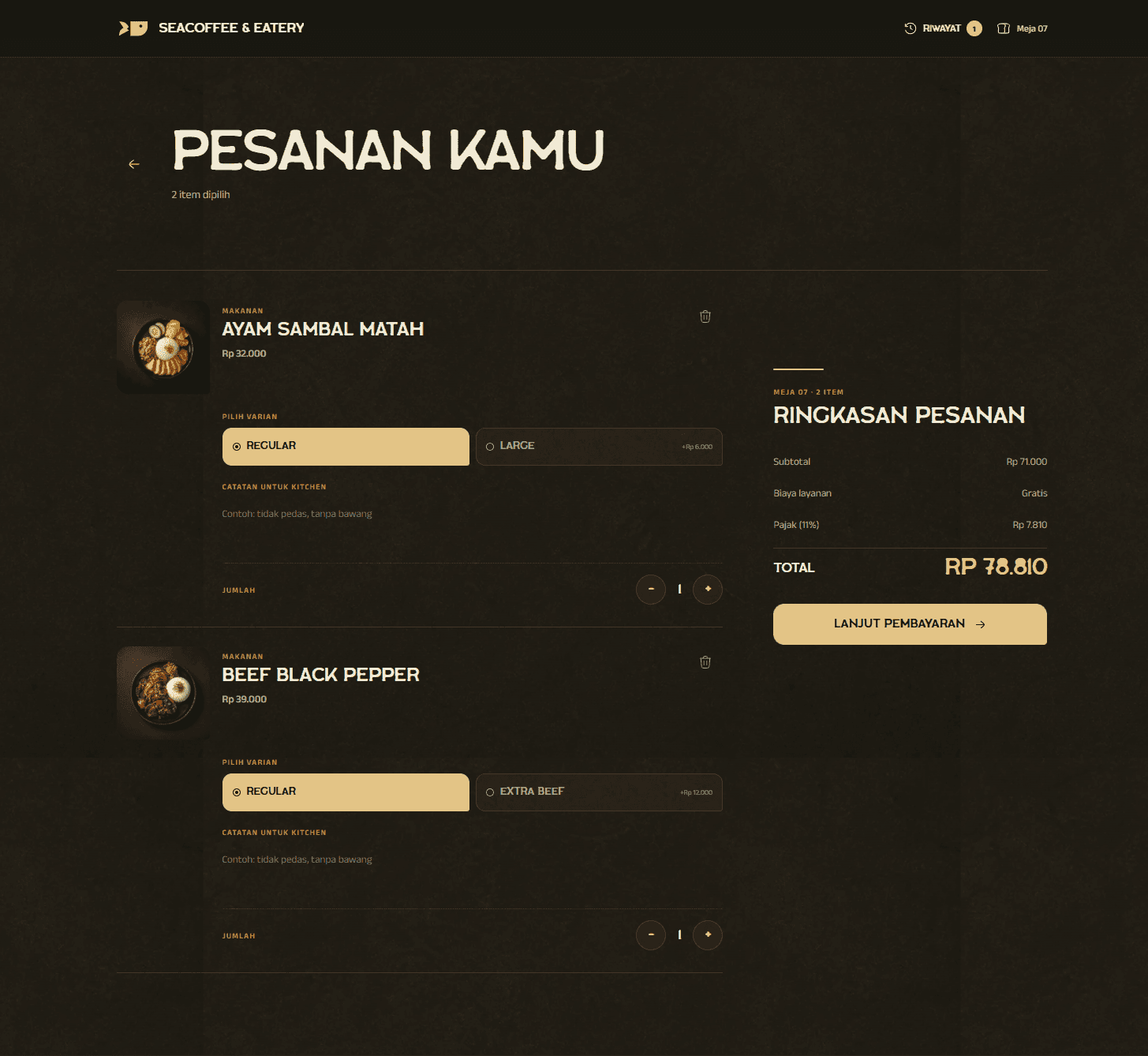
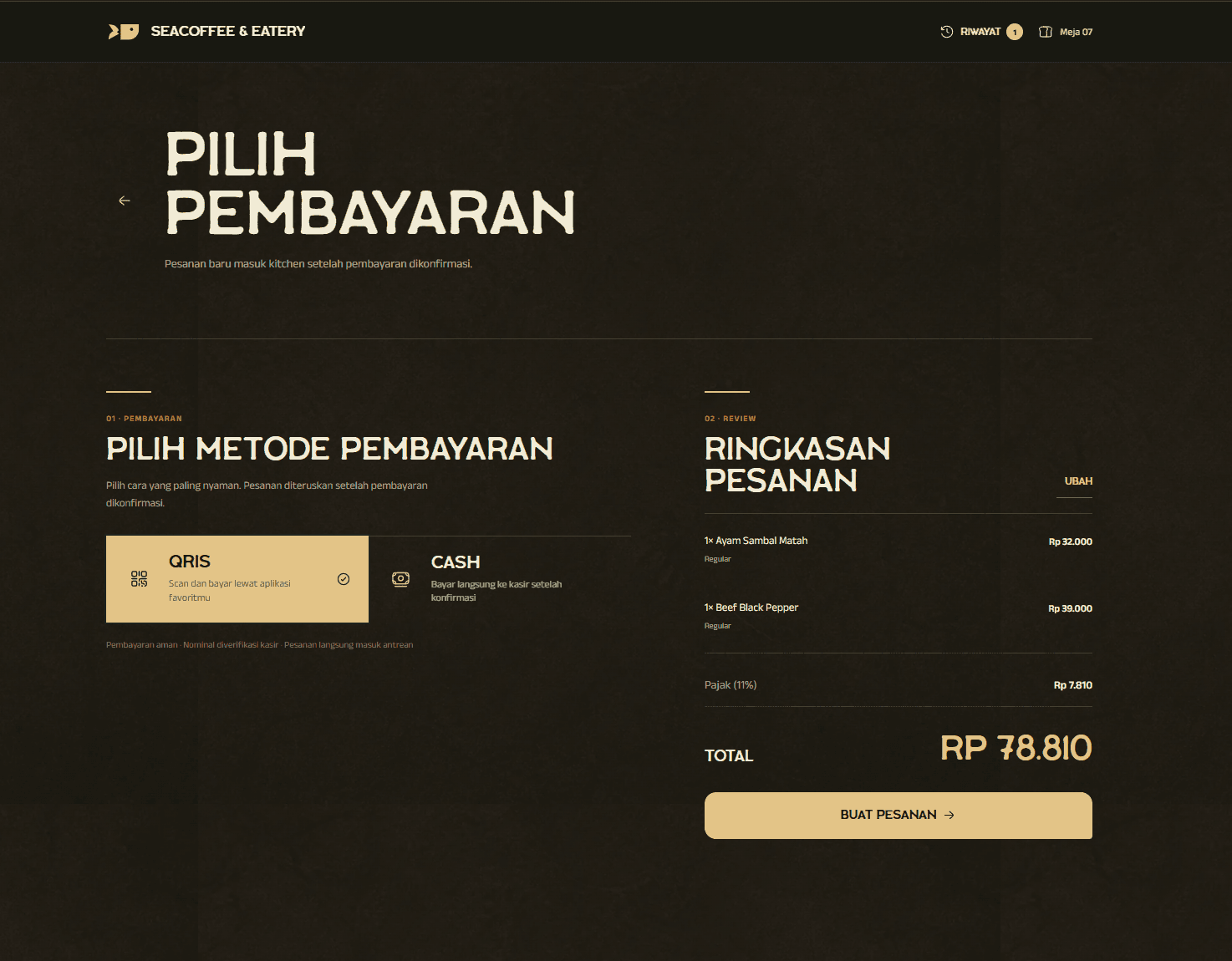
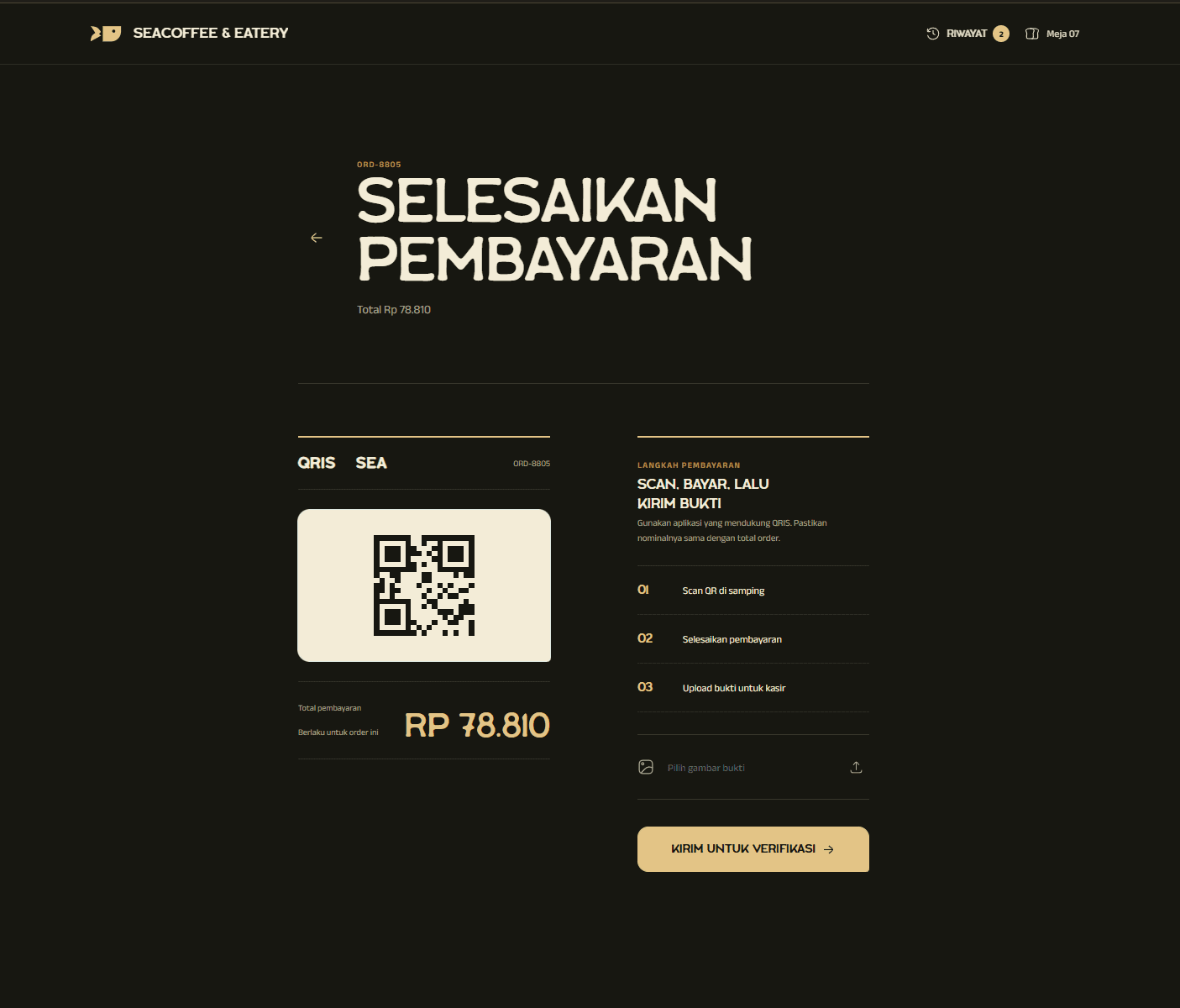
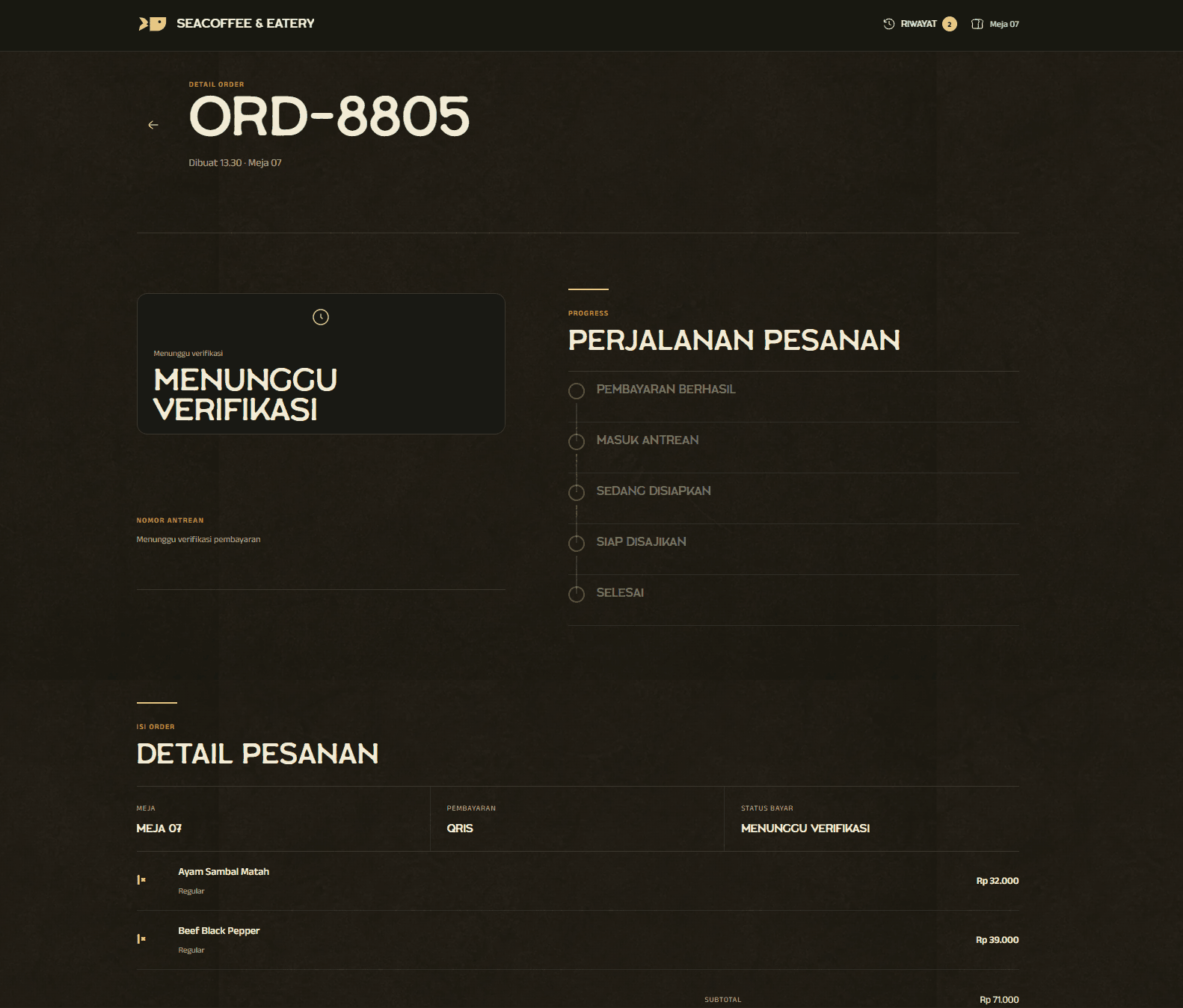
Replace counter queues and fragmented kitchen handoffs with protected table QR access, a customer menu and checkout, cashier verification, a live kitchen queue, and an owner operations workspace.
Queues grow while customers choose at the counter, cashiers repeat menu details, kitchen notes become inconsistent, and owners lose a reliable view of what was ordered, paid, prepared, and served.
02
The connected solution
One order record connects every role.
DineFlow moves selection to the table, protects access with QR tokens and temporary sessions, verifies payment before production, and keeps the same order visible from customer checkout to cashier, kitchen, and owner reporting.
Customer website
From table scan to a tracked order.
09
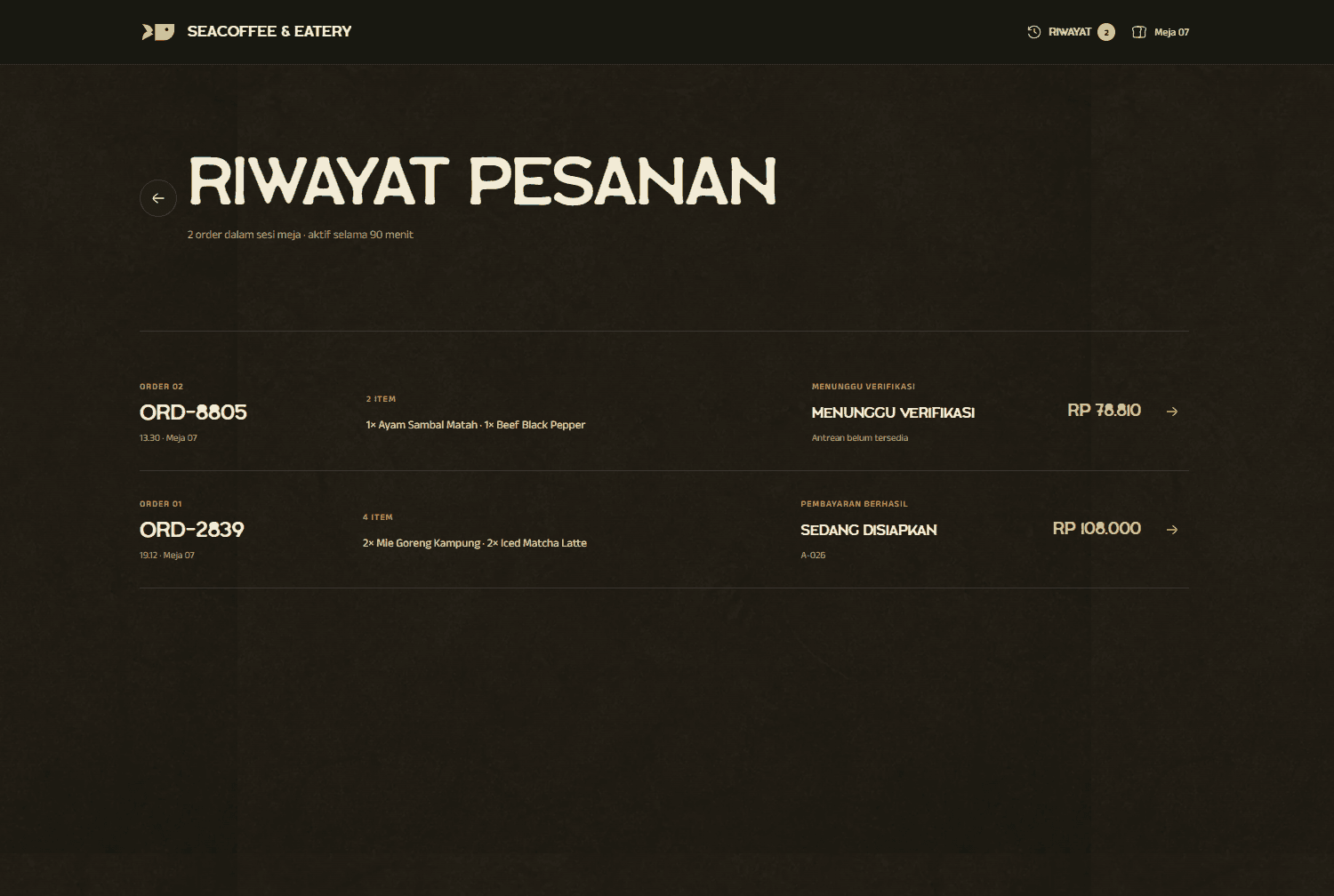
A protected, no-account customer journey covering menu discovery, variants, kitchen notes, checkout, payment, and live order status.
09Order history inside the active table sessionCustomer website
Cashier control
Payments verified, orders released safely.
02
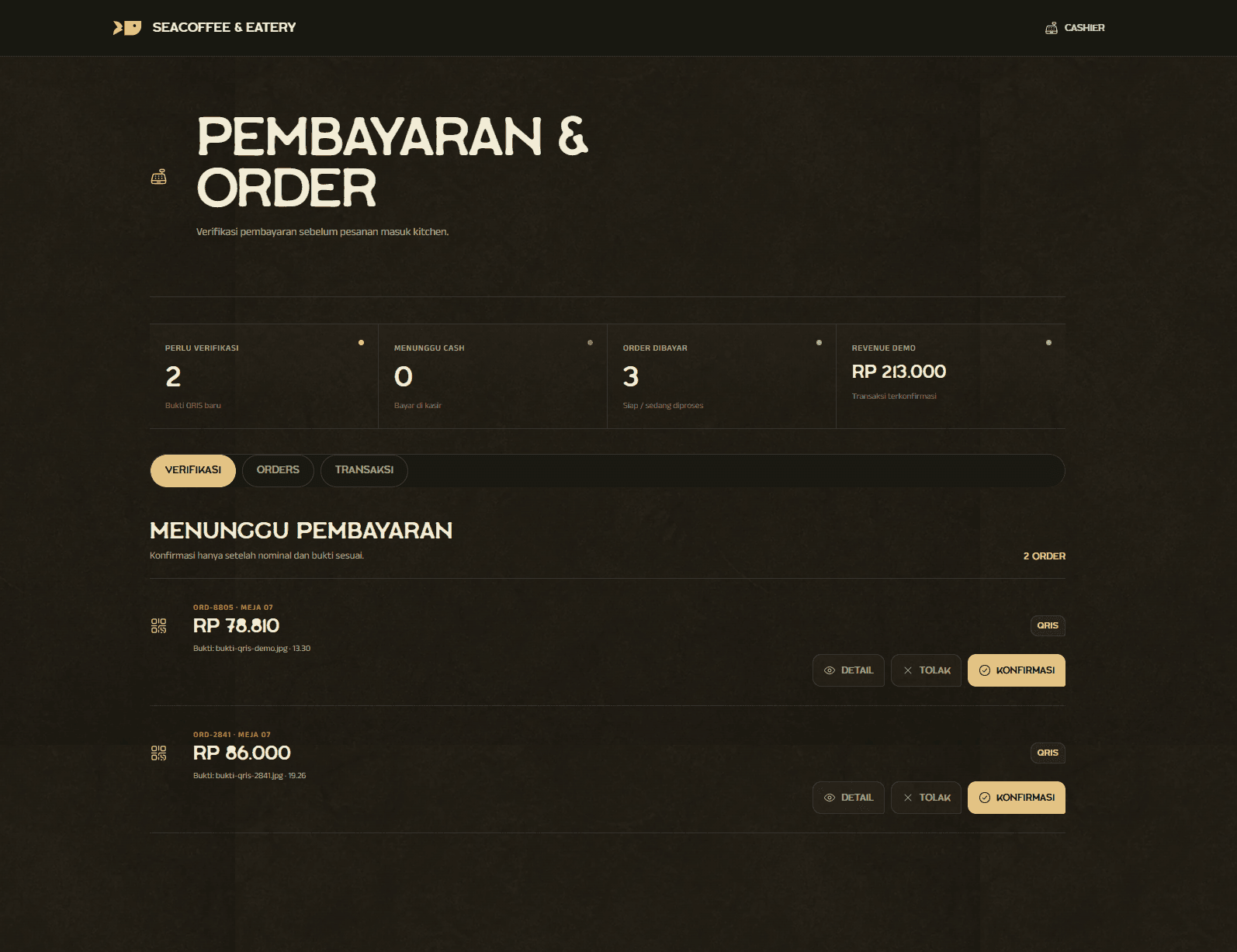
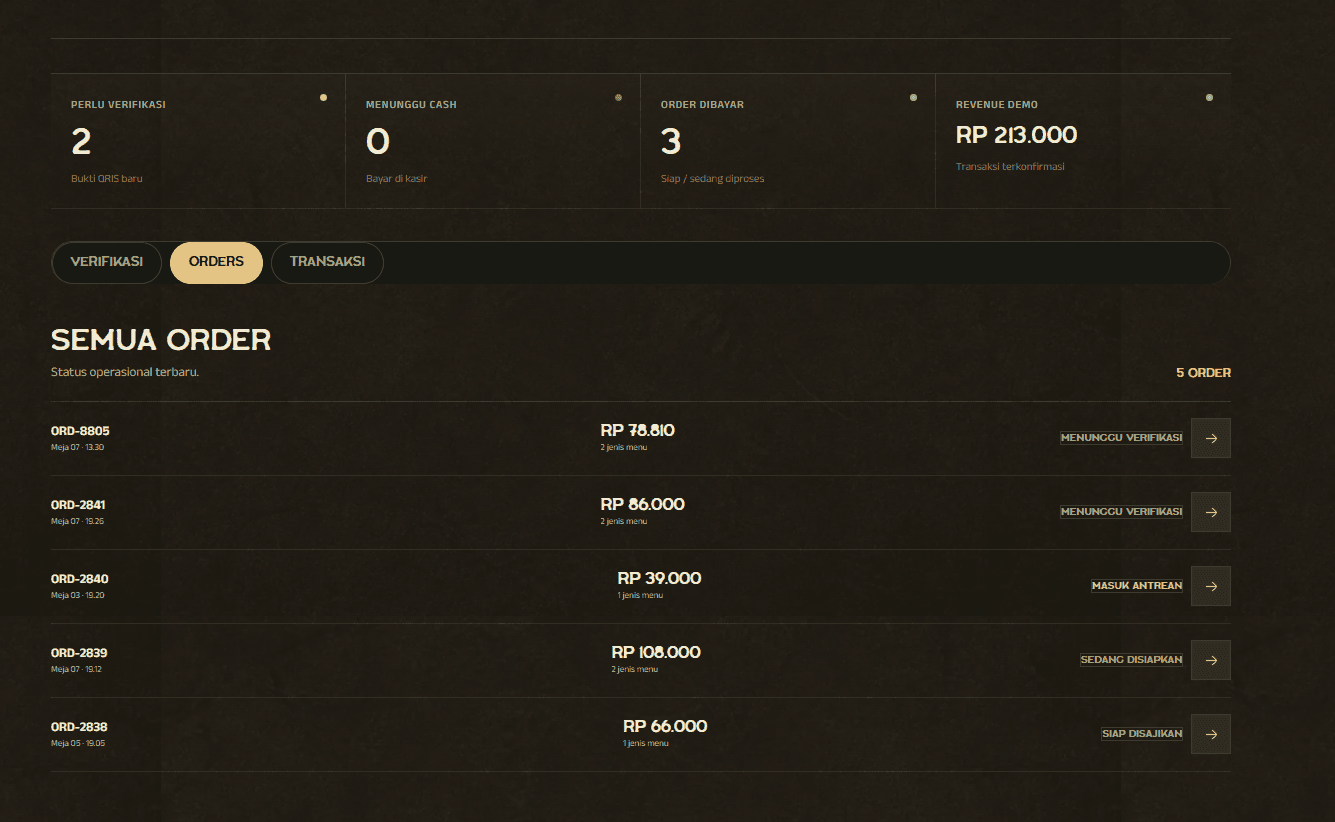
The cashier confirms QRIS proof or cash payment before any order is released into production.
DineFlow CashierCashier workspace
10Payment verification and cashier decisionsCashier workspace
DineFlow CashierCashier workspace
11Operational order and transaction listCashier workspace
Kitchen queue
A queue the kitchen can act on.
02
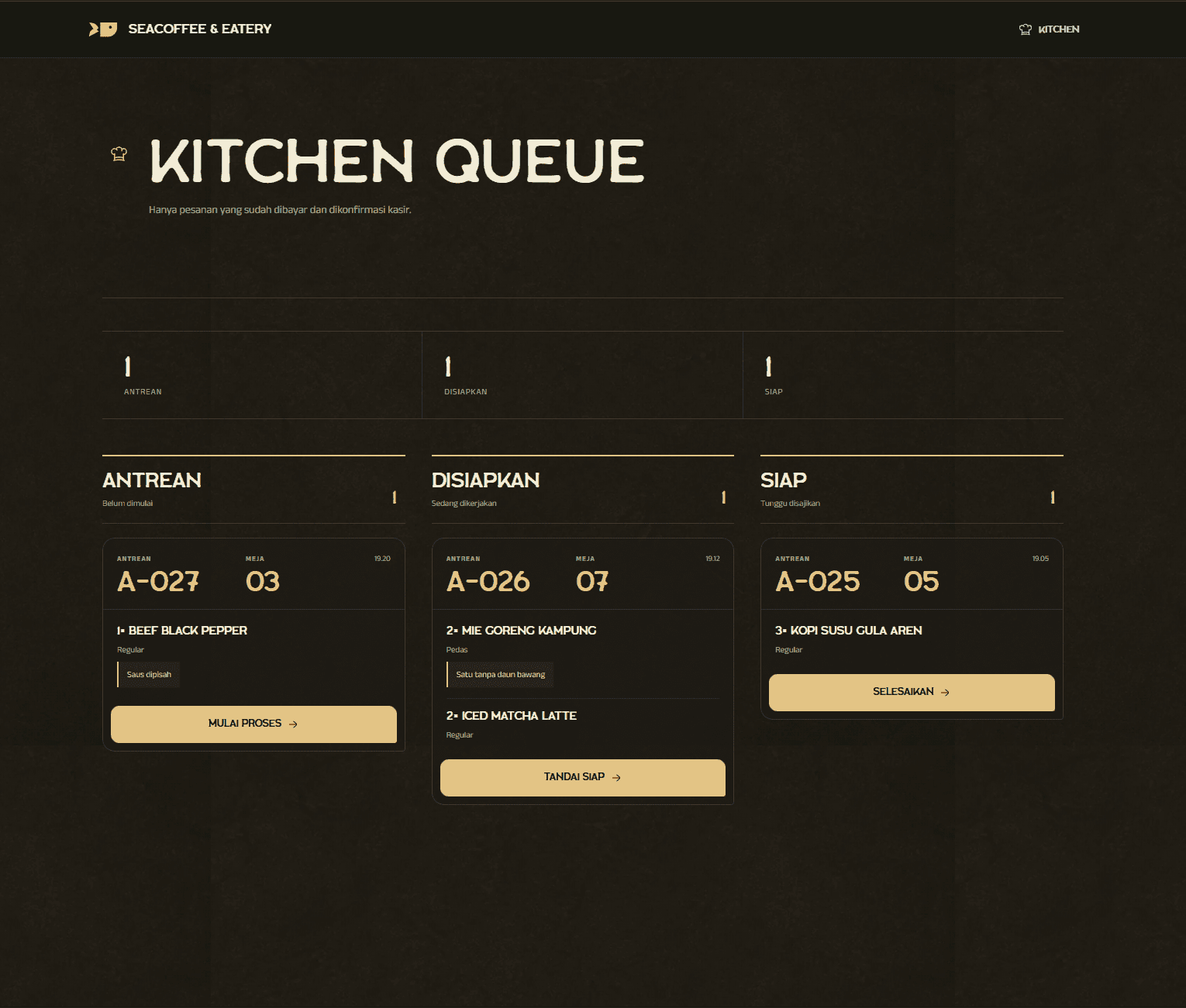
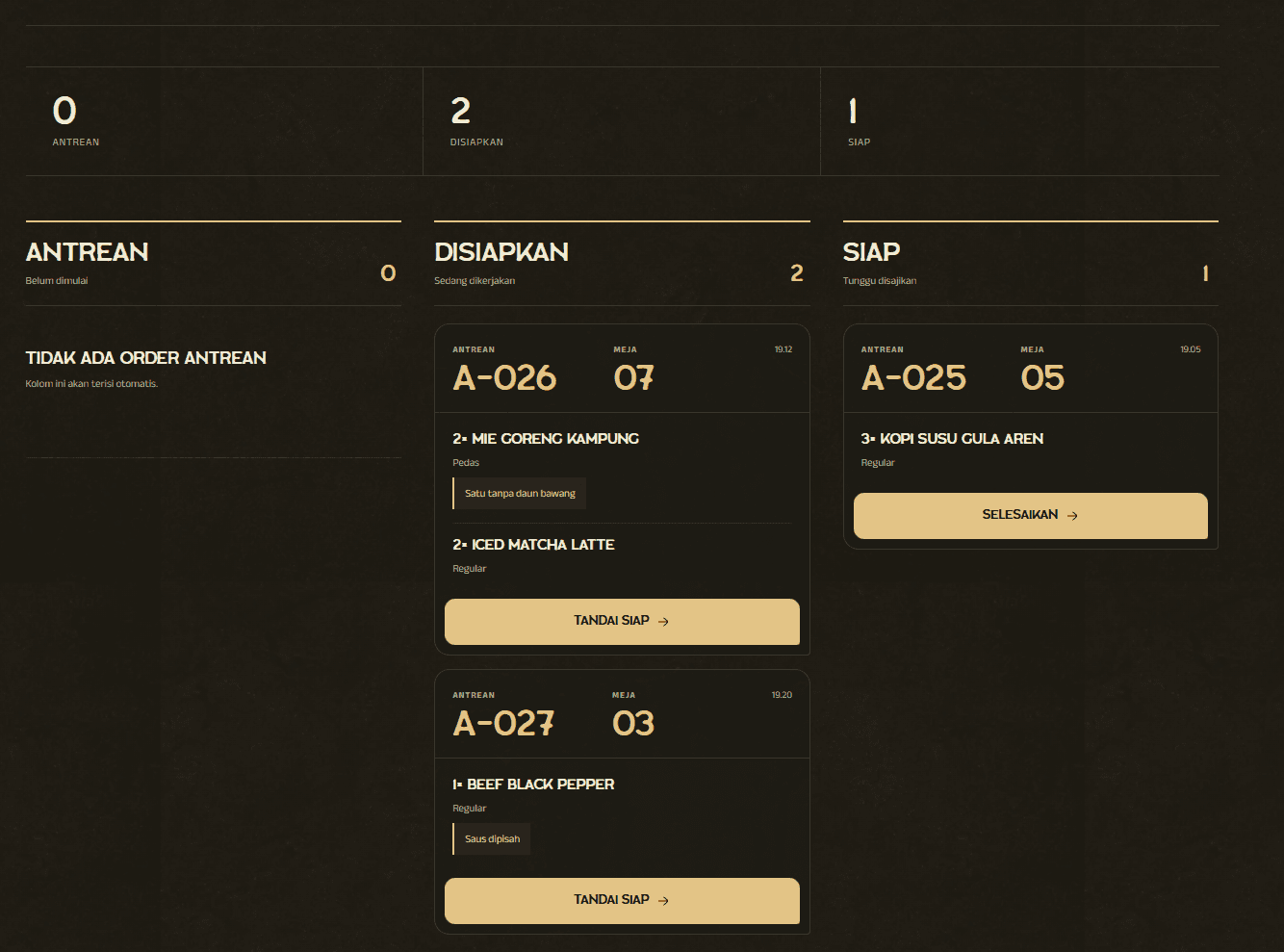
Only paid orders enter the kitchen board, with table context, menu quantities, variants, notes, and clear production states.
DineFlow KitchenKitchen workspace
12Kitchen queue from incoming to readyKitchen workspace
DineFlow KitchenKitchen workspace
13Active cooking states and order notesKitchen workspace
Admin workspace
The whole restaurant, visible in one place.
04
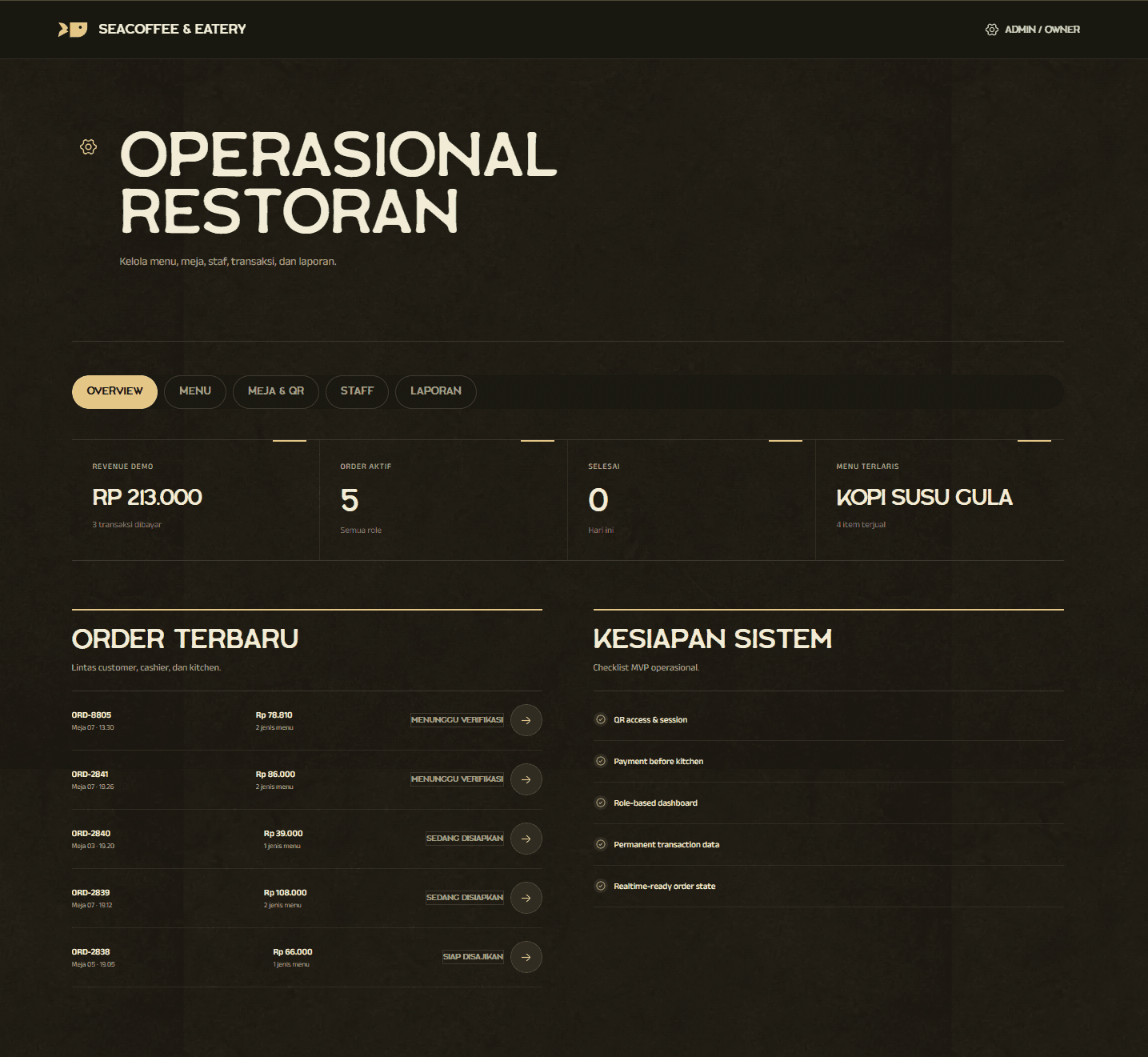
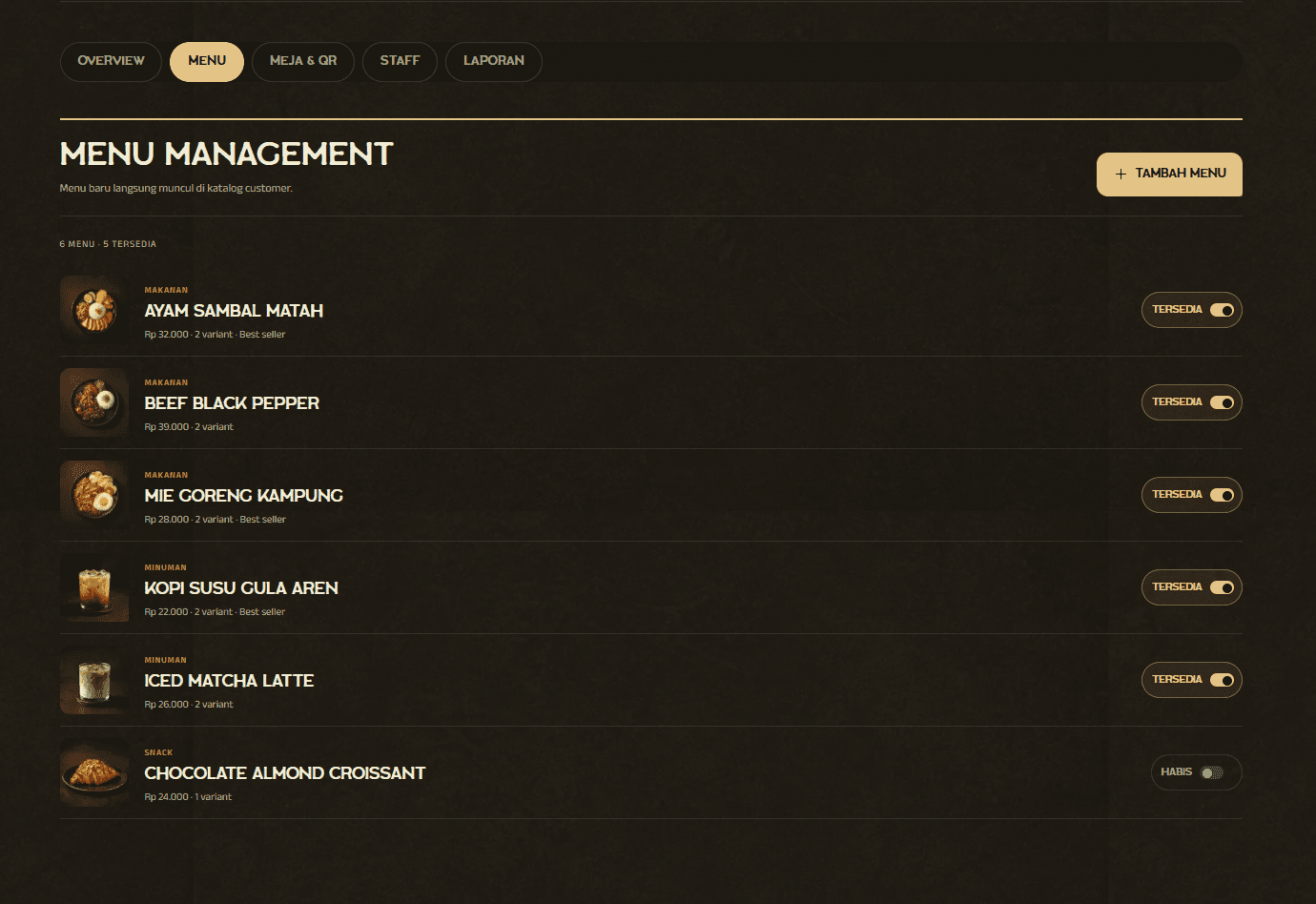
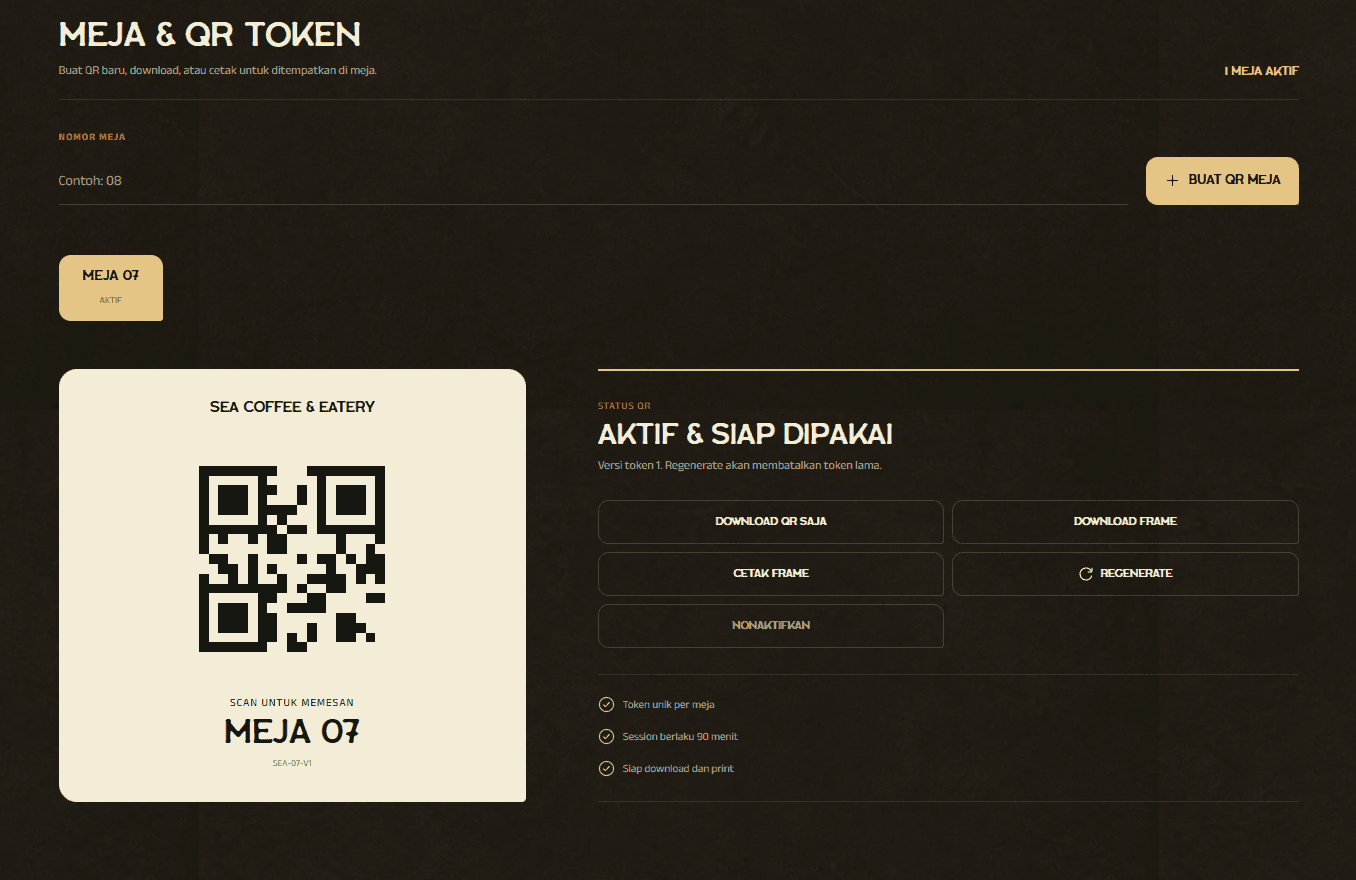
Owners manage menu availability, table QR tokens, staff access, transaction records, revenue, and best-selling items from one workspace.
DineFlow Owner OperationsOwner workspace
14Revenue, order, and system overviewOwner workspace
DineFlow Owner OperationsOwner workspace
15Menu content, pricing, and availabilityOwner workspace
DineFlow Owner OperationsOwner workspace
16Table QR generation and token controlsOwner workspace
DineFlow Owner OperationsOwner workspace
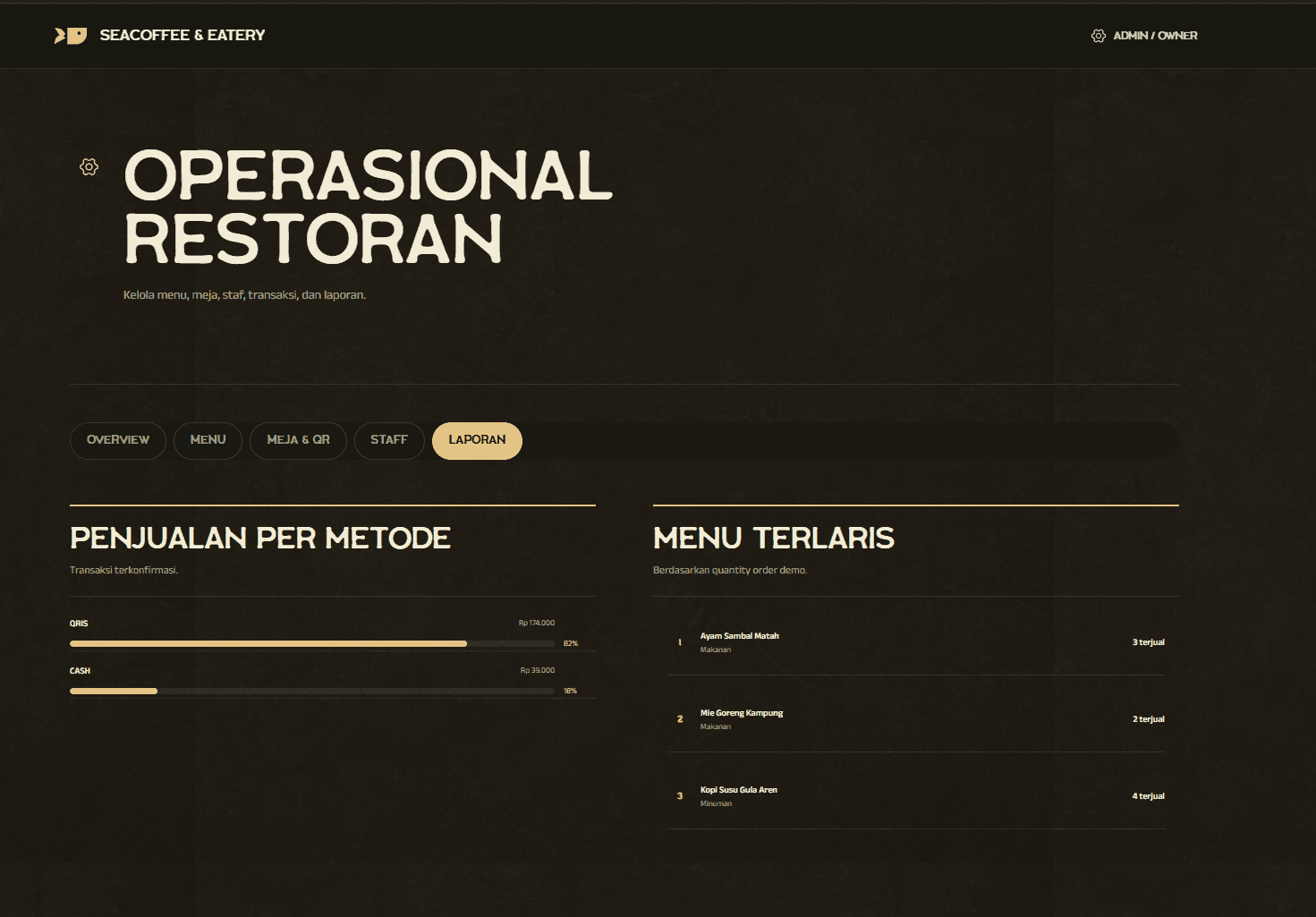
17Payment mix and best-selling menu reportsOwner workspace
Product foundation
Four roles connected, one order stays intact.
DineFlow is a ready-made operational foundation for cafes and restaurants that want table ordering, payment control, kitchen clarity, and owner visibility without assembling separate tools.
Unique QR access for every table
QRIS and cash payment workflows
Cashier verification before kitchen
Live kitchen queue and order tracking
Menu, table, staff, and report controls
Customer flow
From table QR to a completed order.
01
Scan table QR
A unique token opens the correct table inside a protected temporary session.
02
Build the order
Customers choose menu items, variants, quantities, and kitchen notes without queueing at the counter.
03
Choose payment
Checkout supports QRIS proof upload or a structured cash-payment handoff.
04
Cashier confirms
Payment is verified before the order can enter the production queue.
05
Kitchen prepares
The team moves the paid order from queued to preparing, ready, and completed.
What you receive
A working product, ready for your identity.
01Responsive customer ordering website and source code
02Separate cashier, kitchen, and owner workspaces
03Menu, category, variant, price, and availability management
04Table QR generation and protected temporary customer sessions
05QRIS proof verification and cash-payment flow
06Theme color replacement within the existing palette structure
07Deployment assistance until the website is live
081 month maintenance for minor bug fixes and small changes